







For companies with 50 or more employees

Save time and reduce stress with security groups and automapping using SharedConX

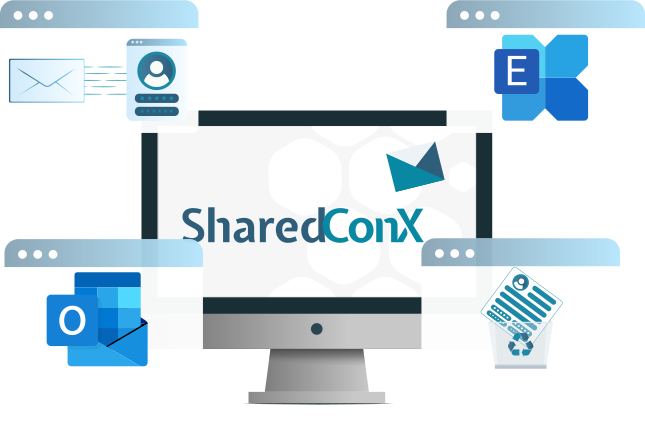
Our software automates your entire access management process for shared mailboxes. This frees up your resources for more important projects.

- 0 %

Whenever a new employee joins, the team changes, or a new project begins, permissions in shared mailboxes must be adjusted manually.

This involves a great deal of effort and takes up an enormous amount of time at your company every week.

SharedConX takes this work off your IT team’s hands and automates your entire permissions management process.

This way, your IT team will finally have more time for more important tasks.

Years of experience
+ 0

Here's what satisfied customers at have to say about SharedConX

We use the SharedConX tool at our company and are very satisfied with it. The technical expertise of peerfect.systems has been a great help to us during implementation and use.

A practical and time-saving add-on for Microsoft Exchange (Outlook) that automates the management of shared mailboxes and permissions. It saves me a lot of time and effort.

SharedConX automates the process of mounting and unmounting shared mailboxes for end users in a completely transparent manner. This significantly reduces the workload on the service desk. Thanks to comprehensive logging, time savings and ROI can be precisely quantified.

Mailbox Permissions:

One of the biggest time and cost drains in your IT department

One of the biggest time and cost drainers in your
IT department

Everything in your IT department runs smoothly—until it comes to managing permissions in shared mailboxes. That’s because as soon as a new employee joins the company, changes departments, or a new project begins, the permissions have to be adjusted.

The problem: What sounds like a routine task is actually one of the biggest time-wasters in modern IT structures. That’s because permissions must be manually granted or revoked for each individual employee.

In other words: You lose valuable time that could be spent on more important tasks.

Perform steps that are repeated over and over,

click through confusing forms

and trust that the permissions are set correctly.

But if even a single permission is accidentally set incorrectly, confidential information can fall into the wrong hands.

The result: During internal audits or data protection reviews, your entire IT security suddenly comes into question.

And that can get really expensive!

To protect your IT against these risks, you need a way to assign permissions quickly and without errors. 

SharedConX nimmt Ihrer IT genau diese Arbeit ab und automatisiert Ihre komplette Berechtigungsverwaltung.

Imagine if your permissions …

… are automatically detected and cleaned up by your system, if they are outdated. This ensures that your data remains protected, access rights are properly managed, and compliance is maintained at all times.

… automatically assign new employees to the correct groups without requiring a single manual command. This makes your onboarding and offboarding processes even smoother and faster.

.… manage themselves entirely on their own, without your IT team having to manually create, review, or delete each access request. This frees up valuable time for your IT team every day, which can finally be devoted to more important projects.

… are documented every time they are accessed, and every change is traceable in an audit-proof manner, without the need for additional reports or manual audits. This reduces the effort required for audits and gives your IT department a complete overview of all permissions.

… manage themselves automatically even in large environments with over 10,000 mailboxes, without requiring any intervention from your IT department. This ensures that your infrastructure remains efficient and your IT security is under control at all times.

With SharedConX, your IT team finally has time for more important tasks

SharedConX ist eine Software, die von peerfect.systems entwickelt wurde, mit dem Ziel, Ihre IT-Abteilung zu entlasten.

With SharedConX, your IT team finally has time for more important tasks

SharedConX is software developed by peerfect.systems with the goal of reducing the workload on your IT department. It automates permission management for shared mailboxes in Microsoft Exchange and Outlook, from granting new access rights to removing outdated permissions.

Our experience has shown that, with 1,500 shared mailboxes and approximately 6,000 employees, we were able to reduce the administrative workload by up to 70%.

With SharedConX, you get:

Automatic Analysis of Your Environment
SharedConX detects all existing permissions, identifies incorrect or invalid entries, and automatically corrects them without requiring any intervention from your IT department.
Group-Based Automapping
Instead of manually managing each user, SharedConX controls permissions through groups. As soon as team structures change, access is automatically granted or revoked.
Seamless integration
The software works directly with your existing Exchange and Outlook environment. You don't need any additional tools or lengthy implementation phases.
Comprehensive documentation
Every change to access permissions is automatically logged and can be traced at any time. This is ideal for internal reviews and external audits.
Full scalability
SharedConX works reliably in medium-sized companies with 50 or more employees as well as in large corporations with many thousands of employees. Performance remains stable even with thousands of mailboxes.
Central Control
With the SharedConX Manager, you can keep track of all permissions at all times.

Automatische Analyse
Ihrer Umgebung

SharedConX erkennt alle bestehenden Berechtigungen, findet fehlerhafte oder falsche Einträge und bereinigt sie automatisch, ohne dass Ihre IT eingreifen muss.

Automapping auf Gruppenbasis

Statt jeden Benutzer manuell zu pflegen, steuert SharedConX Berechtigungen über Gruppen. Sobald sich Teamstrukturen ändern, werden Zugriffe automatisch vergeben oder entzogen.

Nahtlose Integration

Die Software arbeitet direkt mit Ihrer bestehenden Exchange- und Outlook-Umgebung. Sie brauchen keine zusätzlichen Tools oder lange Implementierungsphasen.

Lückenlose Dokumentation

Jede Berechtigungsänderung wird automatisch protokolliert und ist jederzeit nachvollziehbar. Das ist ideal für interne Prüfungen und externe Audits.

Volle Skalierbarkeit

SharedConX funktioniert zuverlässig in mittelständischen Unternehmen ab 50 Mitarbeitenden wie in großen Konzernen mit vielen tausend Angestellten. Selbst bei tausenden Postfächern bleibt die Performance stabil.

Zentrale Steuerung

Über den SharedConX Manager behalten Sie jederzeit den Überblick über alle Berechtigungen.

The benefits for your company and your IT department:

More time for more important tasks

Routine tasks such as creating, removing, and verifying mailbox permissions are completely eliminated. Your IT team can finally focus on projects that truly drive your business forward.

Significantly fewer errors and less support effort

The automatic assignment and monitoring of access rights eliminate manual errors and minimize the risk of data leaks or unauthorized access.

Greater security and complete control

Every change to access permissions is automatically documented. You always know who has access to what, and you always have a complete overview for external audits, internal reviews, and compliance requirements.

Easy management, even with complex structures

Whether you have ten or ten thousand mailboxes, SharedConX operates in parallel, remains stable, and grows with your business, no matter how large it becomes. This way, you retain full control even in large environments.

Significant relief for your IT team

Your administrators no longer have to perform recurring tasks manually. This reduces stress and allows them to focus more on strategic issues.

Automate Mailbox Permissions in 5 Steps

Automate Mailbox
Permissions in 5 Steps


Schritt 1

Step 1:
Requirements Gathering & Goal Definition

In the first step, we’ll work with you to determine which email accounts you’d like to automate and which systems need to be integrated. We’ll carefully document your security policies and IT infrastructure to ensure that SharedConX fits seamlessly into your environment from the very start.

In 5 Schritten Postfach-Berechtigungen automatisieren: Anforderungsaufnahme & Zieldefinition
In 5 Schritten Postfach-Berechtigungen automatisieren: Analyse des Ist-Zustands

Schritt 2

Step 2:
Analysis of the Current Situation

We then review your current IT infrastructure, document existing permissions, and identify redundant or incorrect entries. This provides a clear picture of where there is room for improvement and what adjustments are needed.


Schritt 3

Step 3:
Detailed Planning & Preparation

Based on the analysis, we will develop a concrete implementation plan. This plan will include technical requirements, rollout steps, and a binding timeline. You will receive a complete overview of the process, responsibilities, and the planned go-live date.

In 5 Schritten Postfach-Berechtigungen automatisieren: Detailplanung & Vorbereitung
In 5 Schritten Postfach-Berechtigungen automatisieren: Strukturbereinigung & Einrichtung

Schritt 4

Step 4:
Structural Streamlining & Setup

Before SharedConX is activated, we implement the new authorization structure. Once SharedConX has been activated, old or duplicate entries are removed, if desired. This enables a targeted transition to a new, automated authorization management system. All changes are documented so that you can track which adjustments have been made at any time.


Schritt 5

Step 5:
Activation & Ongoing Support

Once setup is complete, SharedConX goes live. From that point on, your system operates fully automatically. However, we will continue to support you afterward with technical support, regular updates, and expert advice as your needs change.


In 5 Schritten Postfach-Berechtigungen automatisieren: Aktivierung & laufende Betreuung

What happens during the initial consultation?

Before SharedConX goes live in your environment, we’ll work with you to identify which authorization processes you’d like to automate and what potential exists within your current structure. During a no-obligation initial consultation, we’ll show you how much time and effort you can save with SharedConX. The consultation is free of charge and is intended solely to determine whether SharedConX is a good fit for your environment.

Füllen Sie dazu einfach das Kontaktformular auf unserer Webseite aus.

One of our experts will get back to you within 24 hours and show you how easy automation is today.

About SharedConX from peerfect.systems

As a messaging engineer, Manfred Peer has worked in IT departments for more than 26 years and has seen firsthand, day after day, just how much time is actually spent managing mailbox permissions.

After years of high manual effort, countless support calls, and growing security requirements, we at peerfect.systems AG came to a clear conclusion: We needed a solution that would relieve IT teams of this burden, automatically manage permissions, reduce errors, and make authorization processes more secure.

So we developed and programmed , software designed by practitioners for practitioners. With its help, we’re now giving our IT colleagues what we ourselves have been missing for so long: a tool that saves time, protects data, and grows with the company.
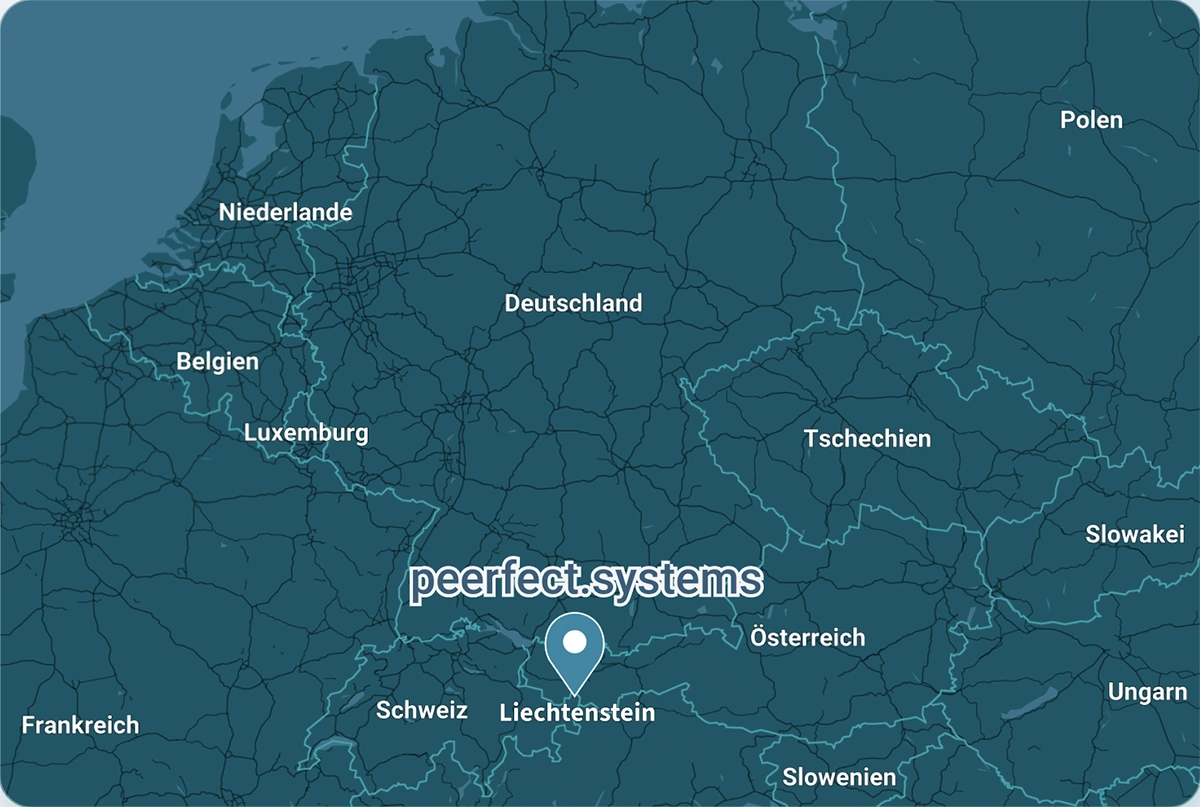
Today, Manfred Peer leads peerfect.systems AG in Liechtenstein with precisely this mission: to take the pressure off IT departments and give them the freedom they deserve to focus on more important projects.

From Liechtenstein to the whole world

Our headquarters are located in Liechtenstein.

We serve customers all over the world. We work with you entirely online, so we can optimize your mailbox permissions from anywhere.

Unser Hauptsitz befindet sich in Liechtenstein.

Frequently Asked Questions About SharedConX

1. What exactly is SharedConX, and how does the software work?

SharedConX is software that automates all permission management in Microsoft Exchange and Outlook. It analyzes existing permissions, identifies outdated or duplicate entries, and automatically cleans them up. Thanks to the integrated group-based automapping, access rights are automatically granted or revoked as soon as team structures change. All changes are documented in an audit-traceable manner without requiring manual intervention from your IT department.

2. What types of companies is SharedConX suitable for?

SharedConX was developed specifically for companies with 50 or more employees that use Microsoft Exchange and Outlook. IT departments that regularly carry out onboarding and offboarding processes, manage a large number of shared mailboxes, or are subject to strict compliance requirements benefit particularly from this solution. The software is scalable and is suitable for both medium-sized companies and international corporations with several thousand mailboxes.

3. How much time does SharedConX really save my IT department?

By automating access management, your IT department can save an average of up to 70% of its working time per year, depending on the size of your company. Tasks that would otherwise have to be done manually now run automatically in the background: new permissions are granted, old ones are removed, and changes are documented. This allows your IT department to refocus on projects that truly drive your business forward.

4. Is implementing SharedConX complicated or does it involve any risks?

No. Implementation takes place in five clearly defined steps: analysis, planning, cleanup, setup, and activation. SharedConX accesses your existing Exchange environment directly, without the need for complex migration or system downtime. Your operations continue as usual during the implementation.

5. How does SharedConX ensure data security and compliance?

Every change to access permissions is automatically logged and can be traced at any time. This allows you to effortlessly comply with internal security policies and external audit requirements, such as data protection audits or ISO certifications. Because SharedConX automatically adjusts access permissions, it reliably prevents unauthorized access or orphaned access rights. Your data remains protected.

6. What are the benefits of automapping with security groups in SharedConX?

Automapping is at the heart of SharedConX. It no longer manages permissions manually on a per-user basis, but rather on a group basis. When an employee changes teams or projects, SharedConX automatically detects this change and adjusts access rights in real time. This completely eliminates the need for manual effort, prevents errors, and ensures that your permission system is always up to date.

7. What are the benefits of account mapping with security groups in SharedConX?

Account mapping is the latest feature from SharedConX. As with automapping, permissions are no longer managed manually on a per-user basis, but are now also managed on a group basis. The difference lies in how the mailbox is added to Outlook. Account mapping is the automatic linking of the mailbox as an additional account, complete with features such as desktop notifications for new emails and advanced search capabilities. All of this happens fully automatically and requires no effort on your part.

8. What are shared mailbox permissions in Microsoft Exchange or Microsoft 365?

Shared mailbox permissions in Microsoft 365 determine which users have access to shared mailboxes. These permissions are managed in Microsoft Exchange or Microsoft 365—either manually by administrators or automatically through security groups.

Manual management often leads to a lack of transparency, increased administrative overhead, and a higher risk of errors or security vulnerabilities. This is especially true when users change or new projects are launched…

9. What is the difference between security groups and direct permissions?

With direct permissions, individual users are explicitly granted access to a mailbox. This is easy to set up, but it quickly becomes confusing as teams grow—every change must be made manually for each user.

Shared mailbox permissions in Microsoft 365 determine which users have access to shared mailboxes. These permissions are managed in Microsoft Exchange or Microsoft 365—either manually by administrators or automatically through security groups.

Manual management often leads to a lack of transparency, increased administrative overhead, and a higher risk of errors or security vulnerabilities. Permissions must be regularly updated, especially when users change or new projects are launched. Automated control via security groups ensures that access remains up-to-date, traceable, and secure at all times.

10. How does automation improve IT security?

Manual processes are prone to errors—permissions are forgotten, not revoked in a timely manner, or granted inconsistently. Automation ensures that access rights are always up to date, for example, when employees leave the company or change roles.

In addition, automation creates transparency: Changes are documented in a traceable manner, which makes it easier to meet compliance requirements. This systematically prevents security vulnerabilities caused by outdated or forgotten permissions.

11. How much does SharedConX cost?

SharedConX is billed on a per-shared-mailbox basis. The price is 2 CHF per mailbox per month, regardless of how many users access it. This means you only pay for what you actually use.

During a no-obligation initial consultation, you’ll receive an accurate estimate of the total costs and the potential savings for your company. By automating your access management, your IT department can save an average of up to 70% of its working time per year. As a result, the investment usually pays for itself within just a few months.

12. What happens during the no-obligation initial consultation?

During the initial consultation, we’ll analyze your current Exchange or Outlook environment and assess which permission processes can be automated. You’ll learn how much time and effort your IT team can save with SharedConX and how the rollout will work in your company. The consultation is free of charge and is intended solely to determine whether SharedConX is a good fit for your infrastructure.